Homepage
Homepage
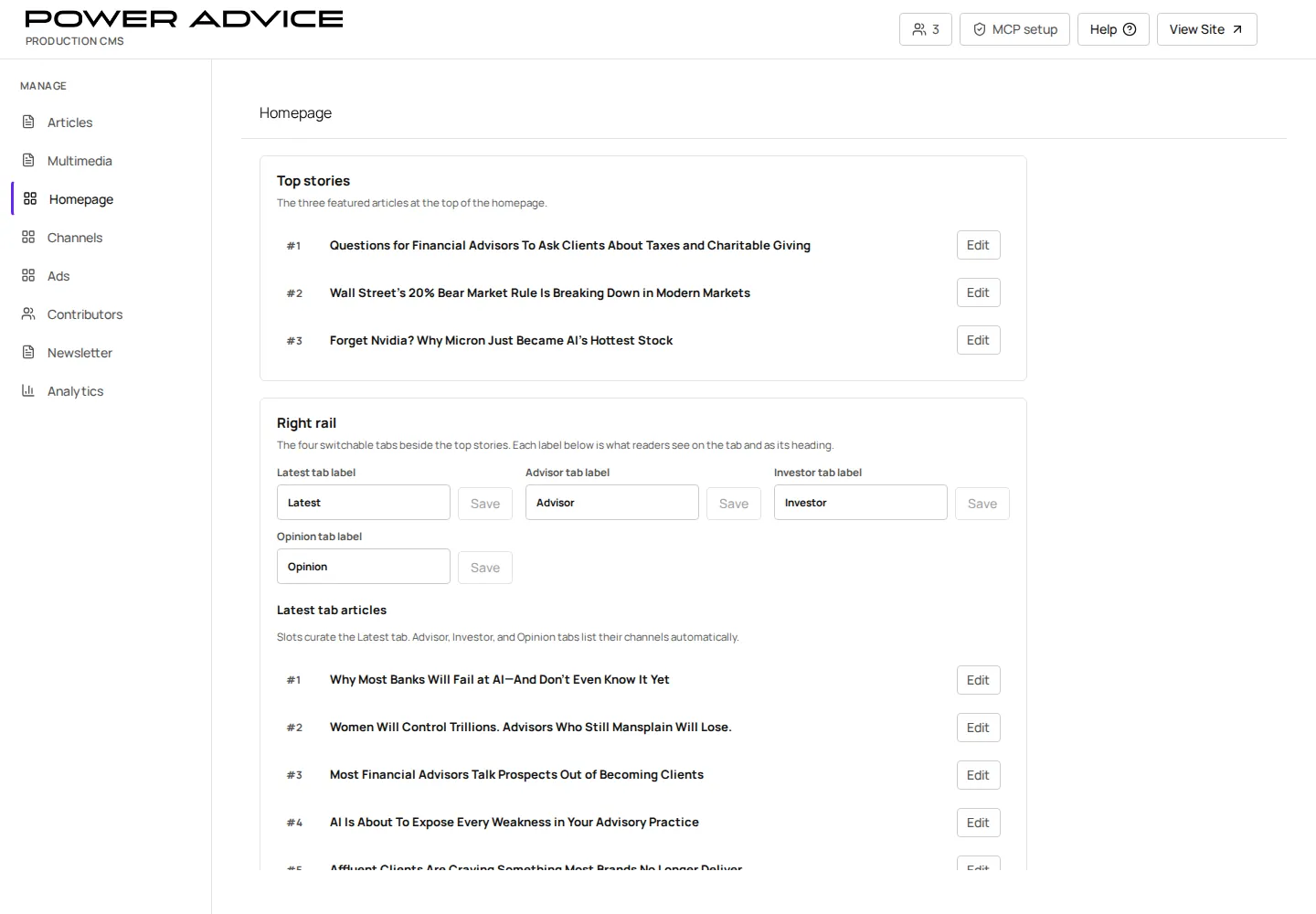
Section titled “Homepage”Use Homepage to program lead feature, top articles, Of High Interest, featured partners, channel grid, newsletter modules, and right-rail tabs.
Operator focus
Section titled “Operator focus”The homepage is where editorial judgment becomes visible. Use this page to understand what is manually placed today, what rotates based on content state, and what needs a clear owner before launch.
Prerequisites
Section titled “Prerequisites”- Articles, channels, ads, and partner resources referenced by homepage modules are publish-ready.
- Homepage placement decisions are approved by the editorial owner.
- Open Homepage.
- Review current lead feature, top articles, Of High Interest, featured partners, and rail tabs.
- Add or replace referenced articles, channels, ad placements, and custom link metadata.
- Save draft changes.
- Preview the homepage and key responsive breakpoints.
- Publish the relevant module or article placement state.
Rotation and visibility checks
Section titled “Rotation and visibility checks”| Surface | Check before publishing |
|---|---|
| Lead feature | article is approved, image works, sponsor context is intentional |
| Top stories | order matches the editorial plan and does not repeat stale content |
| Of High Interest | items are current and not competing with sponsor commitments |
| Featured partners | sponsor/resource ownership and destination are approved |
| Right rail | tabs show the intended mix of content and sponsor material |
Resulting state
Section titled “Resulting state”Published homepage records control the public homepage. Missing CMS data should produce neutral CMS data issue messages, not hard-coded fallback editorial content.
Permissions
Section titled “Permissions”Homepage programming requires CMS write access and editorial approval for lead placement, sponsor placement, and partner promotion.
Failure cases and recovery
Section titled “Failure cases and recovery”- A promoted article is not visible: confirm Article published state, Channel published state, and homepage placement/order.
- Wrong order: update homepage placement order or module item order.
- Sponsor placement missing: verify the ad placement and sponsor resource records.
- Accidental promotion: remove the placement, save, publish, and verify the homepage.