Articles
Articles
Section titled “Articles”Use Articles for standard editorial stories and sponsored posts.
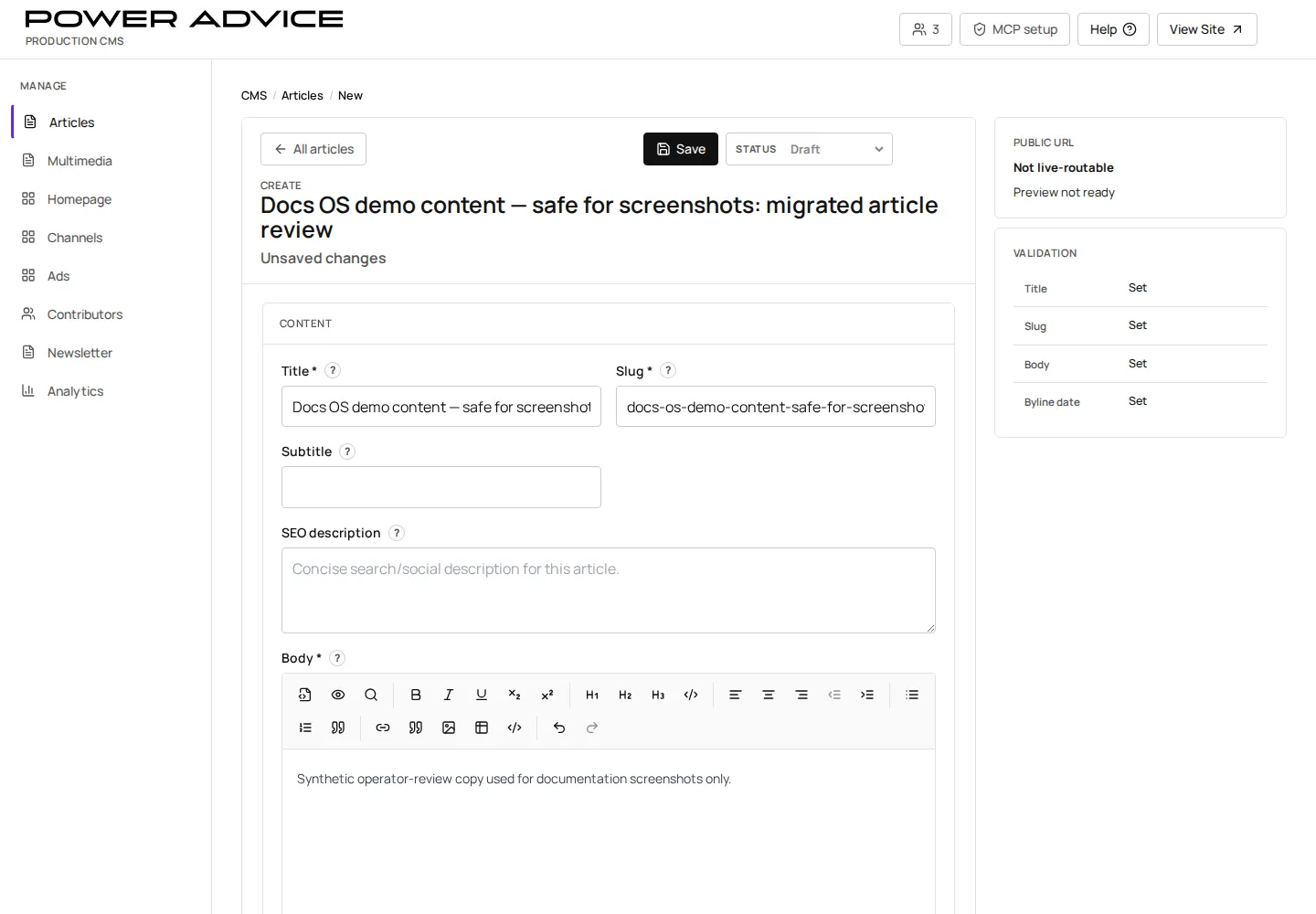
Operator focus
Section titled “Operator focus”Tory and LeeAnn use Articles to review migrated Advisorpedia content, polish copy, correct image and byline issues, preview sponsor-facing work, and control whether a story is private, reviewable, scheduled, or live.
Do not treat Article review as bulk migration cleanup. Work one record at a time, preserve the intended publishing state, and write down the slug when asking for help.
Prerequisites
Section titled “Prerequisites”- The target Channel exists and is published if the article should have a public route.
- The Contributor row exists and is publish-ready if a public byline/profile is expected.
- Sponsor, campaign, and Ask eligibility decisions are approved before publishing sponsored content.
- Open Articles.
- Search for an existing row or create a new Article.
- Fill title, slug, body, publish date, channel, contributor, lead image, and SEO fields.
- Set Article type to Editorial or Sponsored post.
- Use homepage placement, media feed, Ask eligibility, and continued-reading fields only when the story needs those surfaces.
- Save draft.
- Resolve validation blockers in the inspector.
- Use Preview and Public URL to review the route.
- Publish now or schedule from the publishing workflow.
Field decisions that matter
Section titled “Field decisions that matter”| Field or control | Use it for | Watch out for |
|---|---|---|
| Status | deciding Draft, Staged, Scheduled, Published, or removed state | do not publish or unpublish migrated content just to inspect it |
| Slug and PowerAdvice path | controlling the public route | changing either can break shared links |
| Channel | placing the article under the right section | unpublished channels can produce broken article routes |
| Contributor | byline and contributor profile connection | missing or draft contributors hide expected public identity |
| Lead image | public card and article image | upload is safer than copy/paste when paste creates fallback images |
| Ask eligibility | allowing retrieval by Ask PowerAdvice | do not enable for sponsor or sensitive content without approval |
Preview, schedule, publish, remove
Section titled “Preview, schedule, publish, remove”- Use Draft for private editing.
- Use Staged when someone needs a reviewable route before launch.
- Use Scheduled when the piece is approved but should go live later.
- Use Published only when the live public page should render.
- Use unpublish/archive/removal paths before permanent deletion when the goal is to stop public exposure.
Resulting state
Section titled “Resulting state”Draft articles remain CMS-only. Published or scheduled articles become eligible for their public channel route, article feeds, homepage placement, media feeds, and Ask retrieval according to their fields.
Permissions
Section titled “Permissions”CMS operators need authenticated CMS access and write permission for Article records. Sponsored content requires editorial approval before Ask eligibility or sponsor placement is enabled.
Failure cases and recovery
Section titled “Failure cases and recovery”- Missing channel: publish the Channel first or choose a valid channel.
- Missing contributor: create or publish the Contributor row before public launch.
- Validation blocks: correct required fields, image URLs, slug conflicts, sponsor references, and SEO JSON before publishing.
- Wrong public path: check Channel slug, Article slug, and optional PowerAdvice path.
- Accidental publish: unpublish the Article and verify the public route no longer renders the live story.
- Placeholder or wrong image: replace with an uploaded image, save, preview, and verify the public article before reporting migration-wide image drift.